ZKPOS for Windows

Point-of-sale software for every outlet type

Windows POS software in four editions (Restaurant, Retail, Wholesale and Supermarket) for billing, orders, stock, customers and reports, connected to the ZKPOS apps and back office.

  • Windows

Overview

ZKPOS for Windows is the counter software at the centre of the ZKPOS range. It runs on a Windows POS terminal and works with receipt and kitchen printers, VFD and LED customer displays, second displays, barcode scanners, weighing scales, MSR and RFID cards, caller-ID modems, online payment systems, POS cameras and fingerprint readers. Cashiers sign in with a fingerprint, an RFID or MSR card, or a PIN, so every sale is linked to the person who made it.

Four editions

  • Restaurant: for hotels, cafés, pizzerias, bars and beverages, bakeries, sweet and ice cream shops, quick service restaurants, food courts and food trucks.
  • Retail: for pharmacies, apparel and footwear, garment shops, opticals, healthcare retail and spa and salon businesses.
  • Wholesale: for textile, hardware and sanitary, books and stationery, sports and games, and electrical and electronics traders.
  • Supermarket: for supermarkets, groceries, electronics, lifestyle and fashion stores.

Restaurant edition

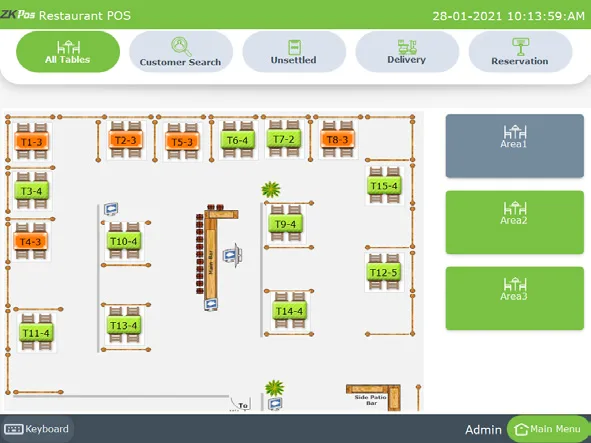
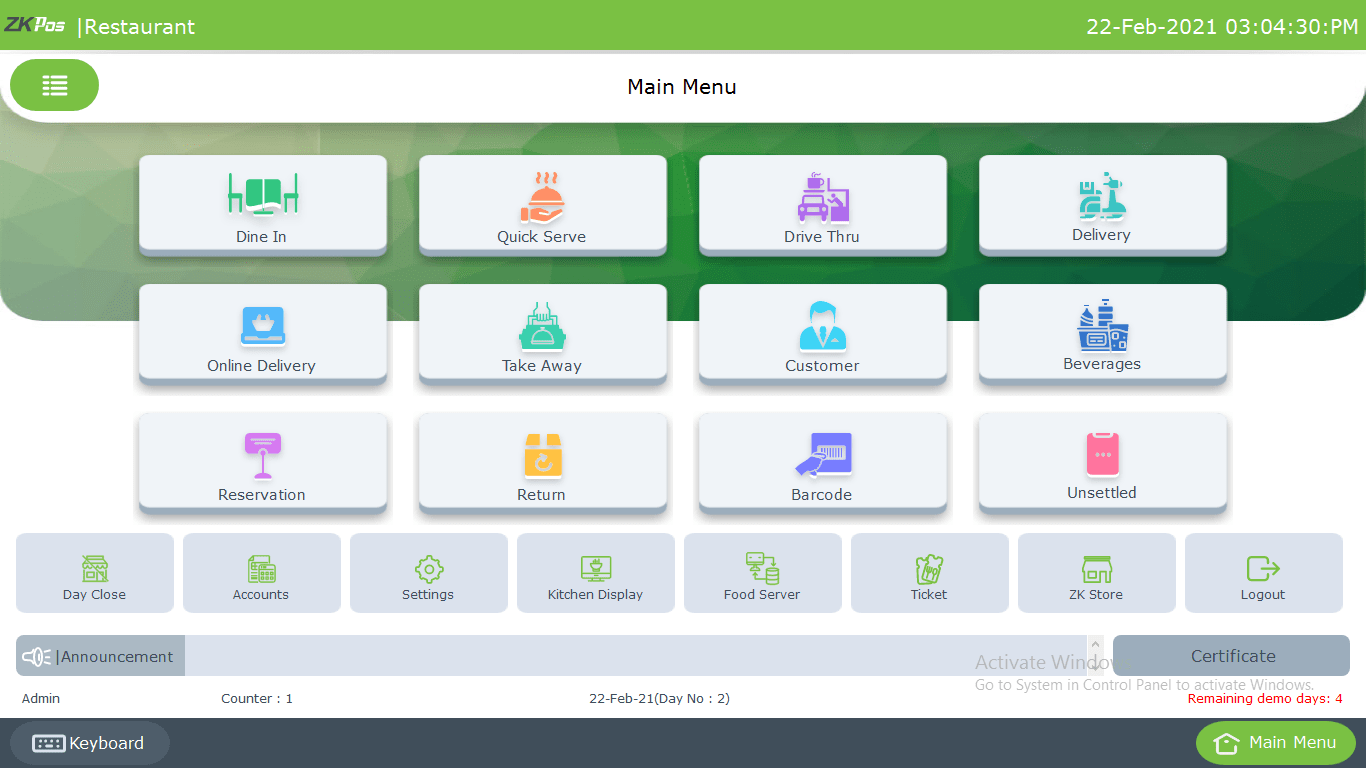
A graphical table plan shows which tables are free or occupied, across several floors or areas. Orders can be dine-in, take-away, delivery or online, and they print to the kitchen by department. Recipes and ingredients keep stock accurate, and the menu can be customised with discounts, gifts and points, a bar facility, credit customers and split bills.

Retail, Wholesale and Supermarket editions

Products are scanned by barcode, including several barcodes for one product and items sold by weight. Customer purchase histories and loyalty points help staff serve regular customers. Wholesale adds price lists for different customer groups, sales commissions and offline billing when the network is down. Supermarket adds promotions and campaigns, low-stock alerts with re-ordering, exchange rates and data import and export.

Billing, cash and day close

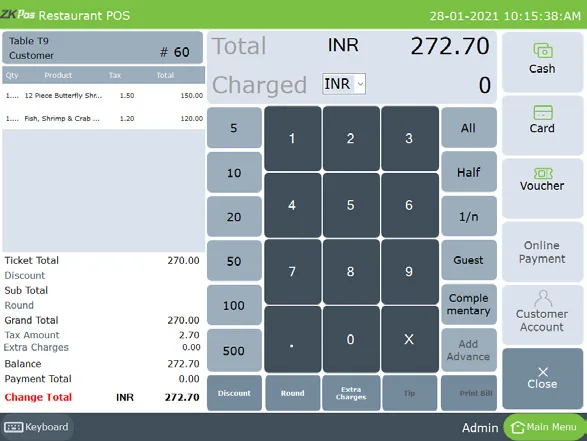
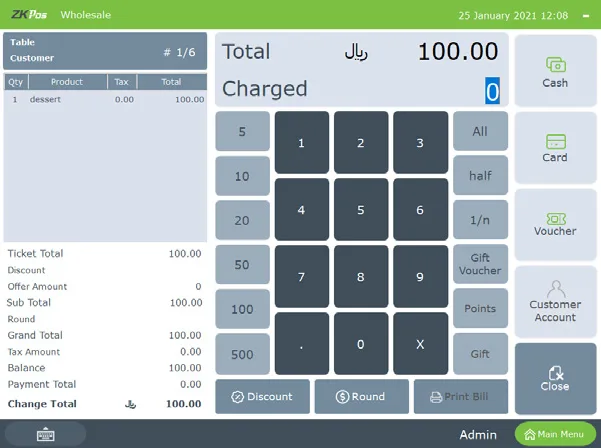
Touch billing takes cash, card, gift voucher and multi-currency payments, with invoice discounts and rounding. Cashiers can draw petty cash advances, and the day close settles every counter.

Connected to the rest of ZKPOS

Sales from the counter feed the ZKPOS Back Office, the Report and Cloud Report apps, the Restaurant Ordering App and the Supermarket Inventory and Price Checking apps. Data is backed up and restored with Microsoft SQL Server or a local SQL database.

Designed for

  • Restaurants, cafés, bakeries and food courts
  • Hotels and bars
  • Pharmacies, opticals and healthcare retail
  • Apparel, footwear and garment shops
  • Wholesale and distribution traders
  • Supermarkets and grocery stores

Capabilities

Key features

  • Sign-in by fingerprint, RFID card, MSR card or PIN
  • Restaurant, Retail, Wholesale and Supermarket editions
  • Graphical table plan across floors and areas
  • Dine-in, take-away, delivery and online orders
  • Kitchen printing by department and kitchen display
  • Recipe and ingredient management
  • Barcodes, multiple barcodes and weighing items
  • Price lists, discounts, promotions, gifts and loyalty points
  • Cash, card, voucher and multi-currency payments
  • Petty cash advances, invoice discount, rounding and day close
  • Stock across multiple stores and warehouses
  • Low-stock alerts and re-ordering
  • Inclusive tax calculation
  • Report alerts by e-mail and SMS
  • Backup and restore with SQL Server or a local SQL database

Screenshots

Restaurant billing screen with the ticket, payment keys and customer options
Table plan by area, with free and occupied tables
Restaurant edition main menu
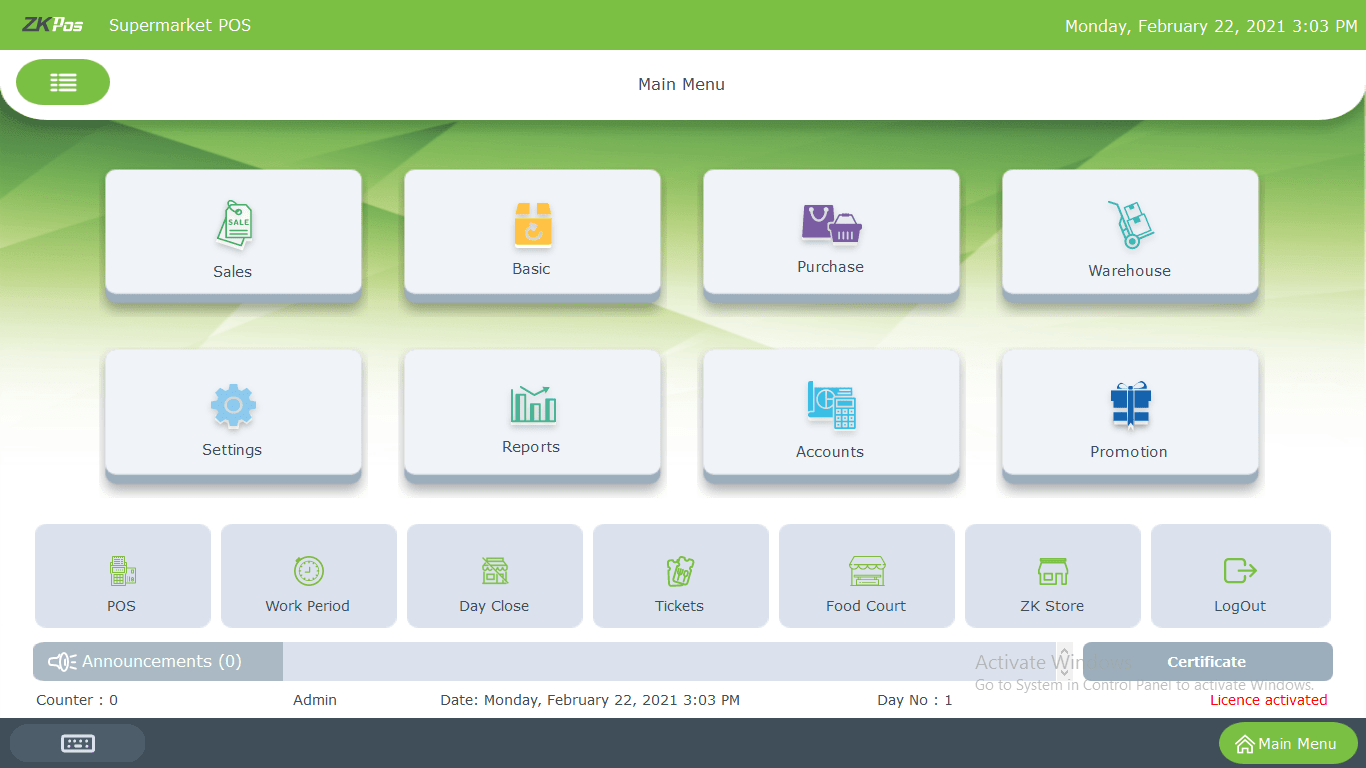
Supermarket edition main menu
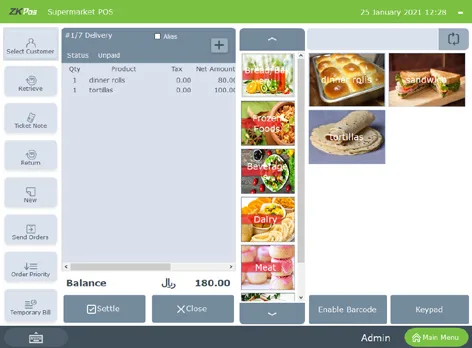
Supermarket billing with product images
Wholesale billing screen

Deployment

  • Windows POS terminals and PCs
  • Microsoft SQL Server or a local SQL database
  • Single counter, multi-counter and multi-store set-ups
  • Wholesale billing continues offline when the network is down

Integrations

  • Receipt and kitchen printers, cash drawers
  • VFD, LED and second customer displays
  • Barcode scanners and weighing scales
  • MSR and RFID card readers, fingerprint readers
  • ZKPOS Back Office, Report and Cloud Report apps
  • Restaurant Ordering App, Inventory and Price Checking apps

Implementation & support

Adwaa Al Shuja supplies genuine ZKPOS licences and hardware, installs the system on site, trains your staff and provides after-sales support, from a single counter to multi-branch roll-outs. A 30-day free trial is available.

Product website

Related software

ZKPOS for Android

Android POS for billing, stock and customers

The ZKPOS Cloud POS app for Android: billing, open tickets, returns, stock receive and transfer, customer credit and reports, with your data kept on the device or in the cloud.

Learn more
ZKPOS Back Office

Back-office management for all your outlets

Sign in to ZKPOS Back Office from a web address to manage products, prices, stock, customers and reports for your restaurants or stores, without interrupting sales at the counter.

Learn more
ZKPOS Report App

Business performance reports, anywhere

Sales, inventory, account, tax and customer reports from your ZKPOS outlets on a phone, a tablet or the web, synchronised from every branch, with alerts on each sale or day close.

Learn more
ZKPOS for Windows

See it working for your business

A specialist will walk you through the software using scenarios from your business.

Enter Simulator

Simulator

Open in new tab

Loading simulator…