ZKPOS Order App

Table-side ordering on a tablet

Customers or servers place orders from the table on an Android tablet, and each order goes straight to the kitchen display with its table number, with no rush to the POS station.

  • Android

Overview

In a busy restaurant a server takes the order on a notepad, rushes to the POS to key it in and waits for the kitchen. The ZKPOS Restaurant Ordering App removes those steps. A tablet with the app sits at each table, or in the server's hand, and the order is sent to the kitchen display system with the table number as soon as the send button is tapped. The kitchen starts cooking straight away and food is served without confusion.

Self-ordering and server ordering

Customers can order for themselves instead of waiting for a waiter, and see each item's price, including tax, as they build their order. Servers use the same app on a handheld tablet to take orders at the table.

Order types

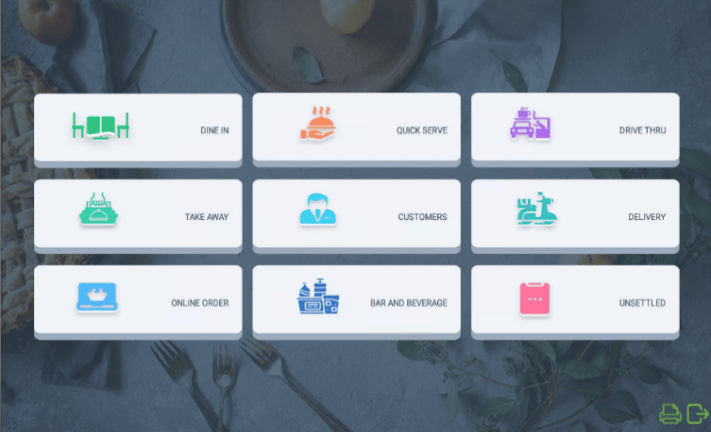
Dine-in, quick serve, drive-through, take-away, delivery, online orders, bar and beverages, and unsettled orders are all handled from the app.

Kitchen and service

Separate displays serve the kitchen manager and the food server. Ticket notes and product notes reach the kitchen, orders print by department, each order can be given a priority, and deliveries are tracked. Managers see a quick table summary, and prices can be edited where permitted.

Designed for

  • Restaurants and cafés
  • Hotels and bars
  • Pizzerias and quick service restaurants
  • Food courts

Capabilities

Key features

  • Customer self-ordering at the table
  • Server ordering on a handheld tablet
  • Orders sent to the kitchen display with the table number
  • Item prices shown with tax while ordering
  • Dine-in, quick serve, drive-through, take-away and delivery
  • Online orders and bar and beverage orders
  • Displays for the kitchen manager and the food server
  • Ticket notes and product notes to the kitchen
  • Department-wise order printing
  • Order priority and delivery tracking
  • Quick table summary for managers
  • Customer management
  • Price editing with permission

Screenshots

Order types: dine-in, quick serve, drive-through, take-away, delivery and more
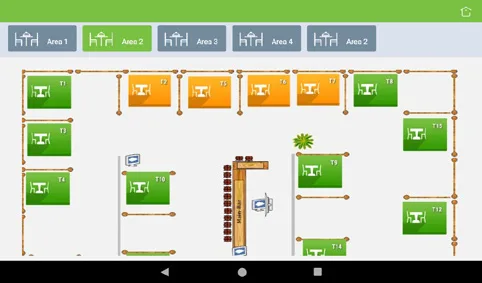
Table areas with each table's status
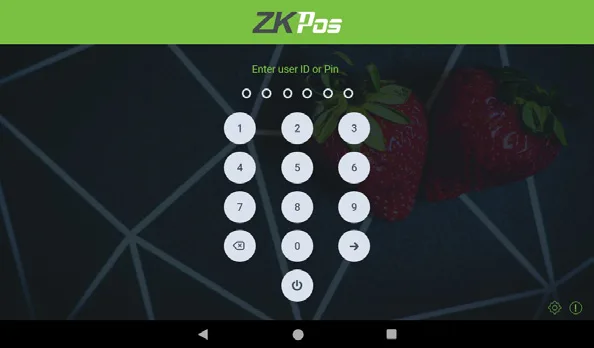
Staff sign-in with user ID or PIN

Deployment

  • Android tablets at tables or with servers
  • Connected to the ZKPOS Restaurant POS

Integrations

  • ZKPOS Restaurant POS for Windows
  • Kitchen display system
  • Kitchen and bar printers

Implementation & support

Adwaa Al Shuja supplies genuine ZKPOS licences and hardware, installs the system on site, trains your staff and provides after-sales support, from a single counter to multi-branch roll-outs. A 30-day free trial is available.

Product website

Related software

ZKPOS for Windows

Point-of-sale software for every outlet type

Windows POS software in four editions (Restaurant, Retail, Wholesale and Supermarket) for billing, orders, stock, customers and reports, connected to the ZKPOS apps and back office.

Learn more
ZKPOS for Android

Android POS for billing, stock and customers

The ZKPOS Cloud POS app for Android: billing, open tickets, returns, stock receive and transfer, customer credit and reports, with your data kept on the device or in the cloud.

Learn more
ZKPOS Back Office

Back-office management for all your outlets

Sign in to ZKPOS Back Office from a web address to manage products, prices, stock, customers and reports for your restaurants or stores, without interrupting sales at the counter.

Learn more
ZKPOS Order App

See it working for your business

A specialist will walk you through the software using scenarios from your business.

Enter Simulator

Simulator

Open in new tab

Loading simulator…